 Cut a long video into clips
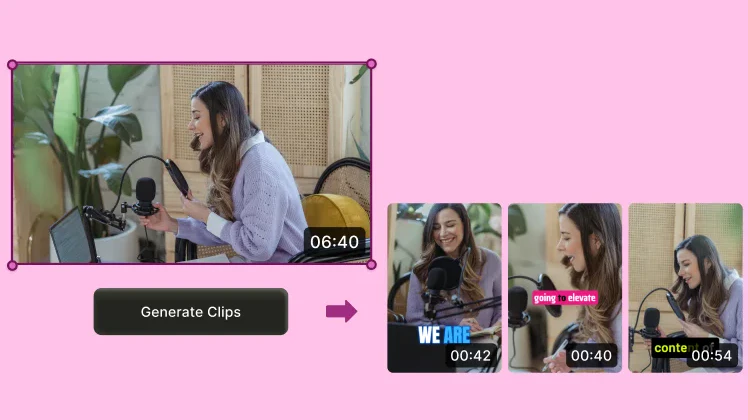
SendShort combines AI clip selection, captions and browser editing. Import footage from a podcast, interview or stream, review the suggested clips and adjust the finish before exporting. Long-video clipping is included from Professional upwards.
For campaigns, check that your footage, captions and edits follow the campaign rules before submitting a clip.
- Main task
- Extract clips from long videos and edit their captions.
- Input
- Video file or YouTube link.
- Languages
- English and Spanish are among the 100+ languages advertised for captions.
- Starting point
- Starter for clips you already have; Professional to extract them from a long video.
- Export
- 1080p, 2K or 4K depending on the plan; no watermark on the published paid plans.
A short workflow, with review before publishing
- 1. Import the video.
Upload a file or paste a YouTube link to footage you have permission to use.
- 2. Get a selection.
On Professional or Business, use long-video clipping to get suggested clips. If you have already made the cuts, Starter lets you import clips for captioning.
- 3. Adjust the finish.
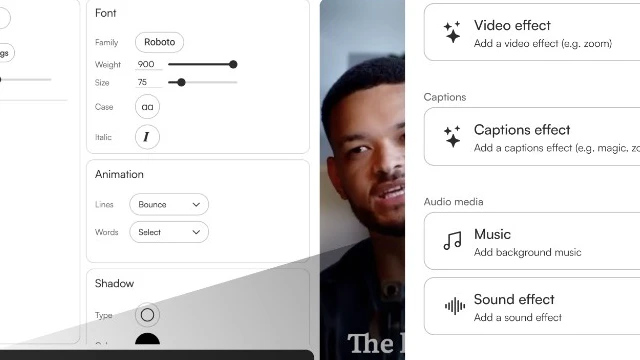
Review the wording, cuts and presentation. The editor supports a timeline, fonts and caption styles.
- 4. Export and deliver.
Download the video at the quality available on your plan. Then choose where to publish it and how to deliver it for your channel or campaign.
Automatic selection is the start of your edit
For a clipper, the value is having moment selection and finishing in the same workflow. Check that each cut keeps the context, names are transcribed correctly and the text is readable on a small screen.
- A selection to review. Work from the tool's suggestions and choose which moments deserve to become a finished submission.
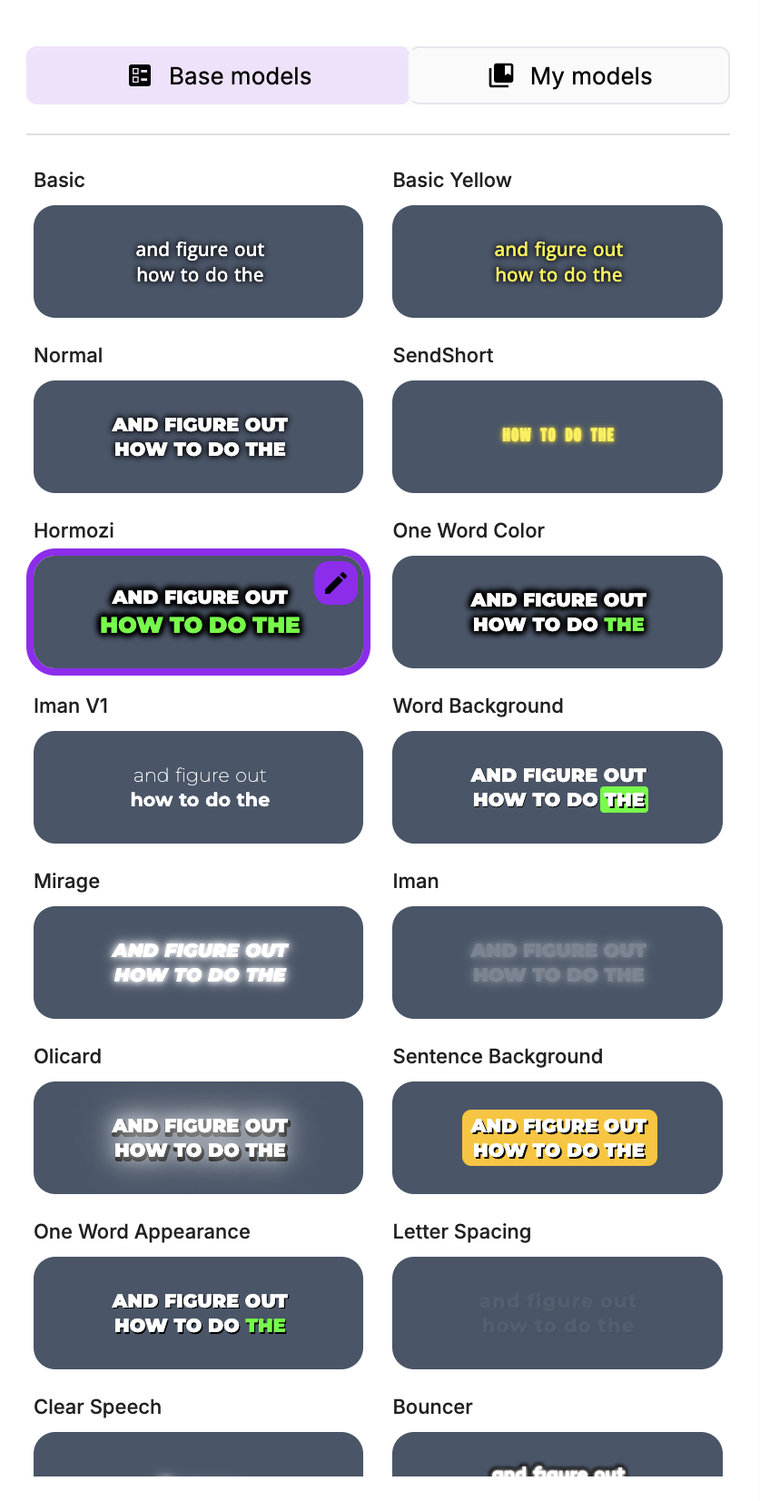
- Captions with your presentation. Adjust fonts, colours and animations. Starter advertises three custom themes; the current Professional and Business cards advertise unlimited themes.
- A finish you can correct. The full editor is listed on all three plans. Professional adds automatic B-roll, silence removal and noise reduction in the current comparison.
Images are official interface examples. They are not evidence of an account test and do not guarantee a clip's result.
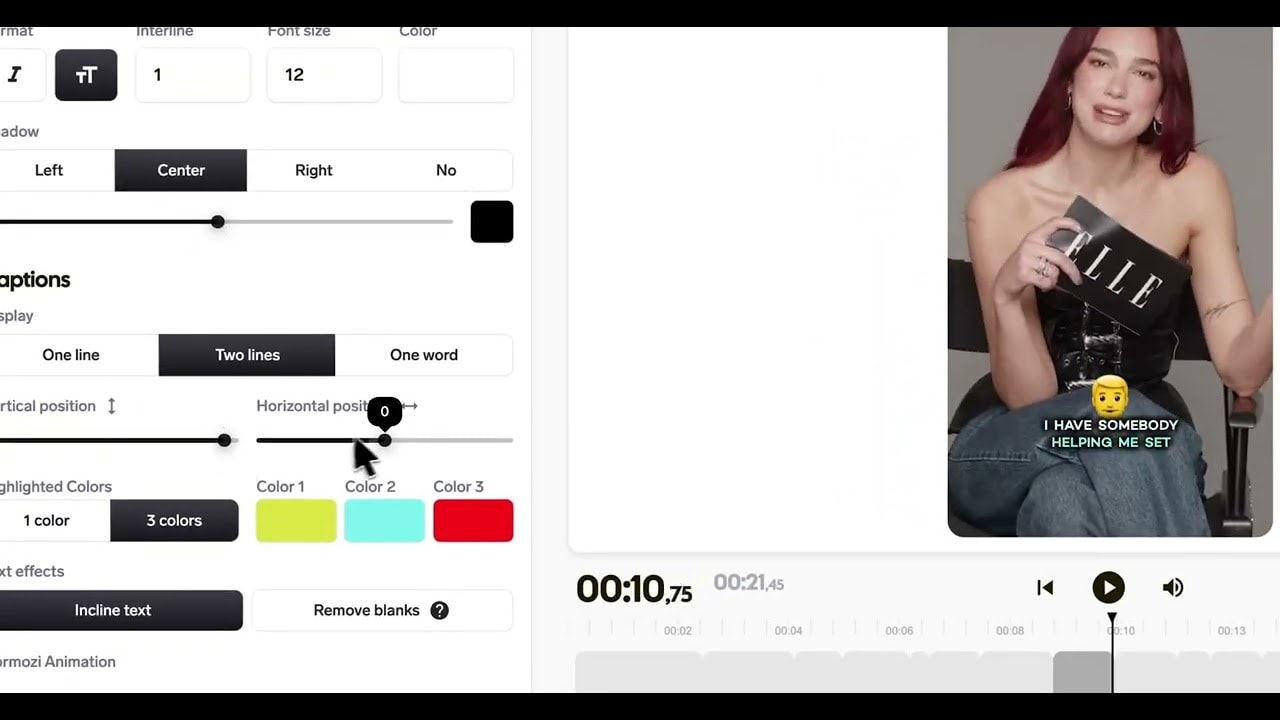
The features that matter for preparing clips
- Long video to clips. Suggests moments from a recording. On Professional and Business; excluded from Starter. The maximum source-video length has not been confirmed.
- Captions and editor. Caption generation and presentation adjustments, on all three paid plans. Review the transcript and timing manually.
- Caption translation. Helps prepare another language version, on Professional and Business. Help documentation says each enabled language uses one short credit.
- Automatic B-roll and cleanup. Adds supporting visuals and handles silence and noise, on Professional and Business. Check the output and your campaign's rules.
- Formats and export. Switching between 9:16, 1:1 and 16:9 is listed on Business. Maximum quality depends on the plan.
- Scheduling. TikTok and YouTube, per the pricing FAQ; this does not establish direct Instagram scheduling.
SendShort offers an API and AI assistant connections, but its pages disagree on whether they require Professional or Business. There are also conflicting statements about SRT, custom fonts and custom themes. Confirm these features with SendShort if they are essential to your purchase.
Pricing
- Starter$19a month20 shorts a month; up to 90 seconds per clip
- 1080p at 30 fps, no watermark
- Caption and edit clips you already have
- Long-video clipping is excluded
- $15/month equivalent, billed annually
- Professional$29a month50 shorts a month; up to 3 minutes per clip
- Up to 2K at 30 fps, no watermark
- Long-video clipping
- Additional editing features
- $23/month equivalent, billed annually
- Business$59a month“Unlimited”: 100+ shorts a month under fair use; up to 10 minutes per clip
- Up to 4K, no watermark
- Switching between 9:16, 1:1 and 16:9
- $47/month equivalent, billed annually
Amounts use $ as displayed by SendShort. The annual equivalent is not a monthly charge. Each finished clip you create or import counts as one short: an episode turned into eight clips uses eight. Allowances reset monthly and do not roll over. Business advertises 60 fps in the comparison, but help documentation lists 30 fps: confirm it if you need it. The current FAQ says there is no free trial, although other pages still invite visitors to try it free. As listed on their site on October 6, 2026. They may change.
Frequently asked questions
Can it clip podcasts, interviews and streams?
Yes. Long-video clipping lets you prepare moments from that footage from Professional upwards. The published inputs are a file or YouTube link. A general maximum source-video length and direct importing from other platforms have not been confirmed.
Can I start free or without a card?
The current pricing FAQ says there is no free trial. Some pages and buttons still advertise one, so we do not treat it as available or promise access without a card. Check the conditions shown when signing up.
Does it support English and Spanish captions?
Yes. Both languages are in the official list. SendShort advertises 100+ caption languages; other pages mention 30+ for translation. The current comparison lists automatic translation on Professional and Business, and help documentation describes additional usage per language. Review names, jargon and timing.
How are shorts counted? Is Business unlimited?
Each finished clip created or imported counts as one short, and unused allowance does not roll over. Business carries the “unlimited” label, but its own FAQ defines this as 100+ shorts a month subject to fair use. The provider asks you to contact its team for higher volumes.
What quality can I export, and how long are files stored?
The comparison lists 1080p/30 fps on Starter, up to 2K/30 fps on Professional and up to 4K/60 fps on Business, with no watermark on paid plans. Business's 60 fps needs confirmation because help documentation lists 30 fps. Quality also depends on the source footage. We found no confirmed public retention period for projects or files: download and keep your deliverables.