- Pay per 1,000 views
- $1.50
- Minimum views
- 1,000views
- Available
- $0of $1,000
- Max per video
- $250
Shakyboats' Clipping Campaign | $1.5 CPM
This campaign no longer accepts clips. Its page stays up with what it offered and what it actually paid.
Clippers taking part
13 clippersOnly one reading in this period
13 clippersOnly one reading in this period
13 clippersOnly one reading in this period
Last reading: 2 Oct 22:48 UTC
Summary
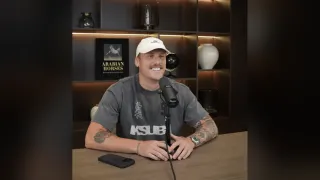
Shakyboats is a content creator who hosts Twitch streams of horror games, high-energy FPS titles and varied reactions.
He seeks to gain views through clips published by the community.
Your role consists of extracting the best moments from his recent Twitch streams conducted over the last 14 days. You must edit videos with a minimum duration of 10 seconds that include the official ShakyBoats overlay with a minimum opacity of 80% throughout the entire clip. The content must be available on TikTok, Instagram Reels and YouTube Shorts without using AI editing tools or stylised edits. You must post the clips tagging @shakyboats and indicating that they watch the stream at the link in the bio. If you use a dedicated account, this must include the link twitch.tv/shakyboats, declare that it is a fan or clip page and remove verification codes. You must send all clips for approval strictly through Content Rewards. Payment is processed automatically via that platform once the content is verified with a CPM of $1.50 per 1,000 views.


What the campaign publishes
- CPM
- $1.50 Rate per thousand views: what the campaign pays for every 1,000 views on an approved clip.
- Min. views
- 1,000 Threshold: the views a clip needs before it starts earning. This is the TikTok one, the network where you get there soonest.
- Min. payout
- $1.50 Minimum payout per clip: the least a clip must earn for the campaign to pay it. Below that, nothing is paid.
- Start
- 1 week ago When the campaign opened, according to the platform. If it only publishes how long it has been open, that is what is shown.
- Budget
- $1,000 The total the campaign has put up to pay clippers.
- Left
- $0 Budget still unspent: what is left of it.
- Spent
- $1,000 What is already committed to approved clips. It is not the same as paid out: the platform sets the money aside when a clip is approved and pays it later.
- Paid
- $0 What the platform says it has already paid to clippers. Not yet: the $1,000 spent is paid out later.
- Clippers
- 13 How many people have joined the campaign, according to the platform.
- Clips
- 90 Approved clips: the ones the campaign has accepted for payment.
- Views
- 638,790 The total views across its clips, according to the platform.
Worth knowing
For
- ✓Just opened: you are among the first in
- ✓Low bar: 1,000 views and you are already paid
- ✓Takes three networks: the same clip works on all three
- ✓No dedicated account, no application: you join and post
- ✓Its rules are fully summarised: you know them before spending an afternoon
Against
- ✕Requires an audience from United States, United Kingdom, Canada, Australia and Tier 1
At least 60%+ Tier-1 audience (United States, United Kingdom, Canada, Australia).
- ✕Nearly exhausted: barely any budget left
- ✕With 13 clippers inside it has paid nothing yet
Before you join
- •No dedicated account · Open, no application
- •At least 60%+ Tier-1 audience (United States, United Kingdom, Canada, Australia).
- •Payouts are processed automatically via Content Rewards once verified.
- •Clips MUST be sourced exclusively from Shakyboats' recent live streams on Twitch (@shakyboats)…
Score
What adds most: clearing the minimum and rate. What takes away most: free budget.
67% backed by this campaign's own data · likely range 3.5–6.0What its platform does not publish counts as the market average. The range shows where the score would land if that data looked like the worst or the best 10% of the market.
- Per average clip
- $10.65 at 7,098 views, the average of its 90 approved clips
- 10,000 views
- $15.00
- To start earning
- 1,000 views
- Max per video
- $250
Using the rate, minimum and cap the campaign publishes. What you earn depends on your views.
Why it gets this scoreIt starts at 5, the average campaign. Each bar is what one of the campaign's figures adds (to the right) or takes away (to the left) compared with the rest of the market.
No data, these count as average: Has paid (no payouts yet: too early to judge) · Time left (too young to estimate)
Rules
Which networks can you post on?required
TikTok, Instagram Reels, YouTube Shorts
Approved Platforms TikTok, Instagram Reels, YouTube Shorts
How long does the clip have to be?required
A minimum of 10 seconds long.
* Clip Length: Every submitted video clip must be a minimum of 10 seconds long.
How long must the clip stay up?required
At least 30 days.
* Retention Requirement: Published clips must remain live on your account for at least 30 days.
Does your profile bio have to say something specific?required
Must include the official stream link: twitch.tv/shakyboats; Must explicitly state that the page is a fan or clipping page for @shakyboats; Remember to remove any verification codes from your social media bio after setup.
Bio Requirement 1: Must include the official stream link: twitch.tv/shakyboats Bio Requirement 2: Must explicitly state that the page is a fan or clipping page for @shakyboats. Verification Code: Remember to remove any verification codes from your social media bio after setup.
Do you have to add a logo, watermark or overlay to the video?required
The official ShakyBoats Overlay (found in Assets) must be present in all submitted videos. Minimum 80% opacity, visible for the complete duration of the video, and not obscured by captions or on-screen elements.
Required Overlay: The official ShakyBoats Overlay (found in Assets) must be present in all submitted videos. Opacity & Visibility: Minimum 80% opacity, visible for the complete duration of the video, and not obscured by captions or on-screen elements.
Does it require anything specific in the title or caption?required
Every post must tag @shakyboats across Instagram, TikTok, and YouTube, and explicitly direct viewers to the link in the bio.
Every post must tag @shakyboats across Instagram, TikTok, and YouTube, and explicitly direct viewers to the link in the bio. Approved Caption Examples * "Watch him live on Twitch, link in bio, @shakyboats" * "New stream is live now — come hang out, link in bio, @shakyboats" * "He's going live on Twitch! Don't miss it, link in bio @shakyboats" * "Scary game night is live — link in bio @shakyboats" * "This clip is insane, watch the full stream - link in bio @shakyboats" * "Tune in now, you won't regret it. link in bio @shakyboats" * "Pull up to the stream — link in bio @shakyboats"
What gets your clip rejected or you removed?required
Bought views, view botting, and engagement pods are strictly forbidden. AI voiceovers are completely prohibited. No AI automated editors (e.g., Opus Clips) or AI-generated visual edits. Subtitles must be manual or cleanly formatted—correctly spelled, clear, legible, and free from animations or excessive glow effects. Stylized edits such as aura edits, glow effects, or skull edits are banned. Do not post unedited or lazy re-uploads. Do not clip any videos other than the official Twitch live streams.
* No Artificial Reach: Bought views, view botting, and engagement pods are strictly forbidden. All views must be 100% organic. * No AI Editing Tools: AI voiceovers are completely prohibited. No AI automated editors (e.g., Opus Clips) or AI-generated visual edits. * No AI Subtitles: Subtitles must be manual or cleanly formatted—correctly spelled, clear, legible, and free from animations or excessive glow effects. * No Aura/Glow/Skull Edits: Stylized edits such as aura edits, glow effects, or skull edits are banned. * No Low-Effort Content: Edits must be clean, focused, and straightforward. Do not post unedited or lazy re-uploads. * No External Content: Do not clip any videos other than the official Twitch live streams.
Does it require the audience to be in a specific country?required
At least 60%+ Tier-1 audience (United States, United Kingdom, Canada, Australia).
* Audience Demographic: At least 60%+ Tier-1 audience (United States, United Kingdom, Canada, Australia).
Does it allow or forbid AI-generated content?required
AI voiceovers are completely prohibited. No AI automated editors (e.g., Opus Clips) or AI-generated visual edits. Subtitles must be manual or cleanly formatted—correctly spelled, clear, legible, and free from animations or excessive glow effects.
No AI Editing Tools: AI voiceovers are completely prohibited. No AI automated editors (e.g., Opus Clips) or AI-generated visual edits. * No AI Subtitles: Subtitles must be manual or cleanly formatted—correctly spelled, clear, legible, and free from animations or excessive glow effects.
What does it require of brand-new accounts?required
Create a brand new page dedicated to @shakyboats. Must include the official stream link: twitch.tv/shakyboats. Must explicitly state that the page is a fan or clipping page for @shakyboats.
Create a brand new page dedicated to @shakyboats. * Bio Requirement 1: Must include the official stream link: twitch.tv/shakyboats * Bio Requirement 2: Must explicitly state that the page is a fan or clipping page for @shakyboats.
Where do you download the source material from?required
Clips MUST be sourced exclusively from Shakyboats' recent live streams on Twitch (@shakyboats) within the past 14 days.
Source Material: Clips MUST be sourced exclusively from Shakyboats' recent live streams on Twitch (@shakyboats) within the past 14 days. Clipping from any non-Twitch or outdated source is strictly prohibited.
How do you submit the clip for approval?required
All clips must be submitted strictly through Content Rewards.
Submission Platform: All clips must be submitted strictly through Content Rewards. Content submitted via any other platform or direct message will not be compensated.
How and when do you get paid?informative
Payouts are processed automatically via Content Rewards once verified.
Official documents
Source material folders
Content Rewards · Algorithm · Instagram, TikTok, YouTube
Source: 25 September 2026
Similar campaigns
Clipping Campaign 1
- CPM
- $2.00
- Clippers
- 0
- Paid
- $0 yet
- Score
- 7.0
Josh Fear Campaign
- CPM
- $2.00
- Clippers
- 0
- Paid
- $0 yet
- Score
- 6.8
Hoodrich Clipping | $1.00 CPM
- CPM
- $1.00
- Clippers
- 7
- Paid
- $0 yet
- Score
- 5.5