- Pay per 1,000 views
- $1.75
- Minimum views
- 1,000views
- Available
- $3,556of $4,000
- Max per video
- $1,000

Pippit AI Clipping
Clippers taking part
20 clippers±0 since 7 Oct
20 clippers+1 since 1 Oct
20 clippers+1 since 1 Oct
Last reading: 8 Oct 18:18 UTC
Summary
Pippit is a company that offers artificial intelligence tools. With this campaign, they aim to promote their limited-time offer through AI content.
Your role consists of creating video clips with a story, film or cinematic style using material from the provided Google Drive folders or AI videos found on the internet. The videos must last at least 15 seconds and show the Pippit logo visible at the top or bottom throughout the entire time.
You must post the clips on Instagram Reels and YouTube Shorts keeping the post for 30 days. The bio must include the phrase "Try Pippit AI Now 👇" followed by the corresponding tracking link. On YouTube, the title must include "Seedance 2.5" and an additional word such as story, film, cinematic, AI video or AI clipping, while on Instagram this information goes in the caption with the hashtags #pippit #pippitai #seedance25 #seedance. Send the video on Whop and open a ticket on Whop or Discord for approval once they upload the analytics. Payment is $1.75 per 1,000 views with a minimum payment of $1.75 and a cap of $1,000 per video.


What the campaign publishes
- CPM
- $1.75 Rate per thousand views: what the campaign pays for every 1,000 views on an approved clip.
- Min. views
- 1,000 Threshold: the views a clip needs before it starts earning. This is the YouTube one, the network where you get there soonest.
- Min. payout
- $1.75 Minimum payout per clip: the least a clip must earn for the campaign to pay it. Below that, nothing is paid.
- Start
- 2 weeks ago When the campaign opened, according to the platform. If it only publishes how long it has been open, that is what is shown.
- Budget
- $4,000 The total the campaign has put up to pay clippers.
- Left
- $3,556 Budget still unspent: what is left of it.
- Spent
- $444 What is already committed to approved clips. It is not the same as paid out: the platform sets the money aside when a clip is approved and pays it later.
- Paid
- $0 What the platform says it has already paid to clippers. Not yet: the $444 spent is paid out later.
- Clippers
- 20 How many people have joined the campaign, according to the platform.
- Clips
- 104 Approved clips: the ones the campaign has accepted for payment.
- Views
- 234,252 The total views across its clips, according to the platform.
Worth knowing
For
- ✓Plenty of budget per person: few people for what is left
- ✓Low bar: 1,000 views and you are already paid
- ✓A single video can reach $1,000
- ✓Takes three networks: the same clip works on all three
- ✓No dedicated account, no application: you join and post
- ✓Its rules are fully summarised: you know them before spending an afternoon
Against
- ✕Requires an audience from United States, United Kingdom, Canada and Australia
At least 40% of your views must come from: US, UK, Canada, Australia.
- ✕With 20 clippers inside it has paid nothing yet
Before you join
- •No dedicated account · Open, no application
- •At least 40% of your views must come from: US, UK, Canada, Australia.
- •Get clips from our folder below. Or find other AI-made videos you like online. Pippit clip…
- •Seedance 2.5 AI video clips / AI video clips — story, film, or cinematic style, plus the model…
Score
What adds most: free budget and rate. What takes away most: clearing the minimum.
73% backed by this campaign's own data · likely range 5.4–7.6What its platform does not publish counts as the market average. The range shows where the score would land if that data looked like the worst or the best 10% of the market.
- Per average clip
- $3.94 at 2,252 views, the average of its 104 approved clips
- 10,000 views
- $17.50
- To start earning
- 1,000 views
- Max per video
- $1,000
Using the rate, minimum and cap the campaign publishes. What you earn depends on your views.
Why it gets this scoreIt starts at 5, the average campaign. Each bar is what one of the campaign's figures adds (to the right) or takes away (to the left) compared with the rest of the market.
No data, these count as average: Has paid (no payouts yet: too early to judge)
Rules
Which networks can you post on?required
Instagram Reels · YouTube Shorts
Platforms Instagram Reels · YouTube Shorts
How long does the clip have to be?required
At least 15 seconds.
Length At least 15 seconds.
How long must the clip stay up?required
Keep your post up at least 30 days
Which hashtags or tags must you include?required
* #pippit * #pippitai * #seedance25 * #seedance
Put these in your caption: * #pippit * #pippitai * #seedance25 * #seedance
Does your profile bio have to say something specific?required
Your account bio must sell Pippit. Add the line "Try Pippit AI Now 👇". Then paste your tracking link — exactly as written below.
Do you have to add a logo, watermark or overlay to the video?required
Keep the Pippit logo on screen the whole time. ... Watermark (Place at top or bottom of video, fully visible and not covered by username, or app ui elements)
Does it require anything specific in the title or caption?required
Your YouTube title must say “Seedance 2.5.” Add one more word: story, film, cinematic, AI video, or AI clipping. Instagram has no title field — put the same info in your caption instead.
Does it require the audience to be in a specific country?required
At least 40% of your views must come from: US, UK, Canada, Australia.
Does it allow or forbid AI-generated content?required
Seedance 2.5 AI video clips / AI video clips — story, film, or cinematic style, plus the model discount
Content Seedance 2.5 AI video clips / AI video clips — story, film, or cinematic style, plus the model discount
How do you submit the clip for approval?required
* Submit your video on Whop. * Once your analytics and audience section loads, open a ticket in Whop or Discord chat for approval.
Where do you download the source material from?informative
Get clips from our folder below. Or find other AI-made videos you like online. Pippit clip folder — Google Drive Additional Pippit clips (NEW) — Google Drive
Official documents
Source material folders
Content Rewards · Clip Farm · Instagram, X, YouTube
Source: 7 October 2026
Similar campaigns
Plug Ai [CLIPPING]
- CPM
- $0.80
- Clippers
- 2
- Paid
- $0 yet
- Score
- 4.6
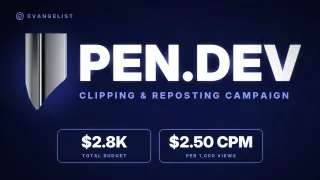
Pen.Dev Clipping and Reposting Campaign
- CPM
- $2.50
- Clippers
- 0
- Paid
- $0 yet
- Score
- 6.8
Hornyt.ai Clipping (AI CHATBOT ONLYFNAS)
- CPM
- $2.00
- Clippers
- 1
- Paid
- $14
- Score
- 5.5
![Plug Ai [CLIPPING]](/b/bd1a40c1-e671-4be8-98dd-7ab4d35ae5d3.webp)