- Pay per 1,000 views
- $1.00
- Minimum views
- 2,000views
- Available
- $730of $1,500
- Max per video
- $500
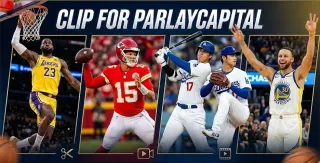
ParlayCapital Clipping
Clippers taking part
28 clippersOnly one reading in this period
28 clippers±0 since 23 Oct
28 clippers±0 since 1 Oct
Last reading: 30 Oct 00:16 UTC
Summary
Parlay Capital is a company that offers content about the most important moments in sport, including the NBA, NFL and MLB leagues.
With this campaign they seek to generate views through clips of these sporting events.
Your role consists of extracting clips from Parlay Capital's official videos on TikTok, Instagram and YouTube using a downloader to obtain 1080p quality. You must edit the videos keeping the content public after delivery and ensuring that your account is dedicated exclusively to this brand with its private videos.
Publish the content on TikTok, YouTube Shorts and Instagram Reels with a biography focused on Parlay Capital that includes the link https://theparlaycapital.com/3. Send the video immediately after publishing it through Content Rewards by pasting the link and the caption used. The payment is 1 dollar for every 1,000 views with a minimum to get paid of 2 dollars and a cap per video of 500 dollars.


What the campaign publishes
- CPM
- $1.00 Rate per thousand views: what the campaign pays for every 1,000 views on an approved clip.
- Min. views
- 2,000 Threshold: the views a clip needs before it starts earning. This is the YouTube one, the network where you get there soonest.
- Min. payout
- $2.00 Minimum payout per clip: the least a clip must earn for the campaign to pay it. Below that, nothing is paid.
- Start
- 5 months ago When the campaign opened, according to the platform. If it only publishes how long it has been open, that is what is shown.
- Budget
- $1,500 The total the campaign has put up to pay clippers.
- Left
- $730 Budget still unspent: what is left of it.
- Spent
- $770 What is already committed to approved clips. It is not the same as paid out: the platform sets the money aside when a clip is approved and pays it later.
- Paid
- $238 What the platform says it has already paid to clippers.
- Clippers
- 28 How many people have joined the campaign, according to the platform.
- Clips
- 96 Approved clips: the ones the campaign has accepted for payment.
- Views
- 560,494 The total views across its clips, according to the platform.
- Avg/clipper
- $8.50 Average paid per clipper: paid out divided by the clippers taking part. It is an average, not what each one earns.
Worth knowing
For
- ✓A single video can reach $500
- ✓Takes three networks: the same clip works on all three
- ✓No dedicated account, no application: you join and post
Against
- ✕What it pays comes to 42% of what its rate promises
Before you join
- •No dedicated account · Open, no application
- •use downloaders whenever possible so you can get higher quality versions directly from the…
- •For the first 1-3 days, just act like a regular user. Scroll through videos, like some, leave…
Score
What adds most: time left and cap per video. What takes away most: clearing the minimum.
87% backed by this campaign's own data · likely range 3.9–5.6What its platform does not publish counts as the market average. The range shows where the score would land if that data looked like the worst or the best 10% of the market.
- Per average clip
- $5.84 at 5,838 views, the average of its 96 approved clips
- 10,000 views
- $10.00
- To start earning
- 2,000 views
- Max per video
- $500
Using the rate, minimum and cap the campaign publishes. What you earn depends on your views.
Why it gets this scoreIt starts at 5, the average campaign. Each bar is what one of the campaign's figures adds (to the right) or takes away (to the left) compared with the rest of the market.
Rules
Does it require a whole account dedicated to this brand?required
Your page must be dedicated exclusively to Parlay Capital content. Keep all non Parlay Capital videos private.
• Your page must be dedicated exclusively to Parlay Capital content. • Keep all non Parlay Capital videos private.
How long must the clip stay up?required
Videos must remain public after submission.
• Videos must remain public after submission.
Does your profile bio have to say something specific?required
Your bio/description must be focused on Parlay Capital content. You MUST have a clickable link in your bio or description: https://theparlaycapital.com/3
Your bio/description must be focused on Parlay Capital content. ... You MUST have a clickable link in your bio or description: https://theparlaycapital.com/3
How do you submit the clip for approval?required
1. Go to Content Rewards 2. Click Submit a Video. 3. Follow the steps to link your account if you haven't already. 4. Paste your video link. 5. Enter the caption you used. 6. Submit the video.
What does it require of brand-new accounts?recommended
For the first 1-3 days, just act like a regular user. Scroll through videos, like some, leave comments, and follow a few creators in your niche... Link an email and phone number to your account.
Where do you download the source material from?recommended
use downloaders whenever possible so you can get higher quality versions directly from the original platforms... Only use the Google Drive videos if: You cannot find a working downloader. Something is not working. You are in a huge rush and need to post a video immediately.
Instead, use downloaders whenever possible so you can get higher quality versions directly from the original platforms... Only use the Google Drive videos if: You cannot find a working downloader. Something is not working. You are in a huge rush and need to post a video immediately.
Which networks can you post on?informative
TikTok, YouTube Shorts, Instagram Reels, and more.
Clipping is the process of taking content from a creator and turning it into short form videos for platforms like TikTok, YouTube Shorts, Instagram Reels, and more.
How much source material is there, and how many clips can you get out of it?informative
There is only ONE folder called "better quality videos" that contains good quality clips (around 50 videos).
Official documents
Source material folders
Content Rewards · ParlayCapital Clipping · Instagram, TikTok, YouTube
Source: 1 November 2026
Similar campaigns
Joey Haim Clipping | $1,000 budget | $1.0 CPM
- CPM
- $1.00
- Clippers
- 0
- Paid
- $0 yet
- Score
- 5.7
$$2 CPM new clipping niche: Payments
- CPM
- $2.00
- Clippers
- 31
- Paid
- $0 yet
- Score
- 3.2
Gumbo $5,000 Clipping Campaign
- CPM
- $1.00
- Clippers
- 0
- Paid
- $0 yet
- Score
- 5.8